


OSCO Games
4.939.00 Reviews
App Specs
- Version
- 1.1.0
- Updated On
- License
- Free
- Downloads
- 100,000+
- Developer
- إقامة - Iqama
- Categories
- Trivia
- Platform
- Android
Screenshots

 Analysis by AppCompare
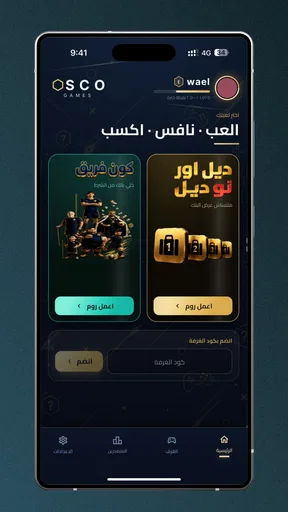
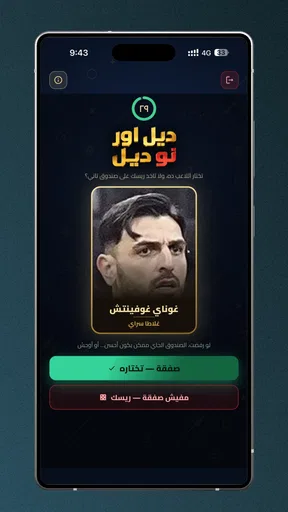
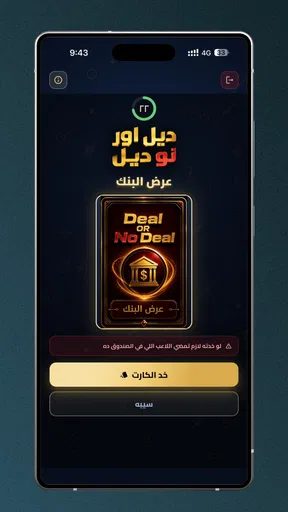
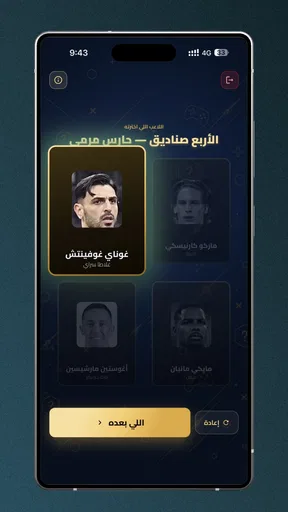
I like trivia games best when they give a group something to do together without turning a casual get-together into a setup project. OSCO Games is built around that idea: it is a football trivia game for two to eight players, with everyone gathered around one phone or each person using their own. That choice makes it more adaptable than a standard quiz app that assumes one player is competing alone, though the experience will depend on how your group prefers to play.
OSCO Games is free to download, so trying it does not require a purchase. That is the clearest part of its value proposition: you can see whether its football questions and group format suit your friends before deciding whether it deserves a regular spot on your phone. It is a trivia game from إقامة - Iqama, listed for Everyone, and its simple premise makes it easy to consider for family gatherings, match-day downtime, or a quick challenge among football fans.
Free entry, with group play at the center
I’d begin by treating the free download as a low-risk way to see whether football trivia fits your group, not as a guarantee that every part of play will suit everyone. What matters most to me is whether the shared-phone or individual-phone setup matches the room and the people in it. That practical question leads naturally to how the game’s group format can create value beyond simply being free.
What free access means here
The game is listed as free, which makes it a low-commitment option for a group looking for a football-themed activity. I would treat that as a practical advantage rather than a promise that every aspect of the experience has no conditions: the useful point is that you can start by downloading it without paying an upfront price. If your group only plays occasionally, that matters. You can try it during a gathering instead of asking everyone to buy a party game first.
It has an average rating of 4.9 from around 1.9K ratings, and it has passed 100K installs. Those figures suggest that plenty of players have been willing to give it a try, but they do not tell me whether its questions will match your group’s football knowledge or preferred style of play. I’d use them as a reason to take a look, not as a guarantee that every session will land.
The current version is 1.1.0, and the minimum operating-system requirement is Android 7.0. That makes compatibility worth checking before inviting a group to install it, especially if everyone is expected to use a separate phone. If you plan to play on one device, the host’s phone is the key one to check. Either way, a quick compatibility check before people arrive saves the awkward pause of discovering a device cannot run the game.
The value comes from sharing the game
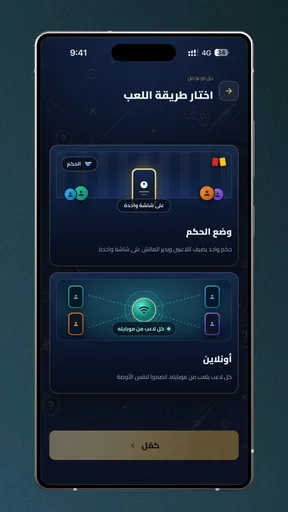
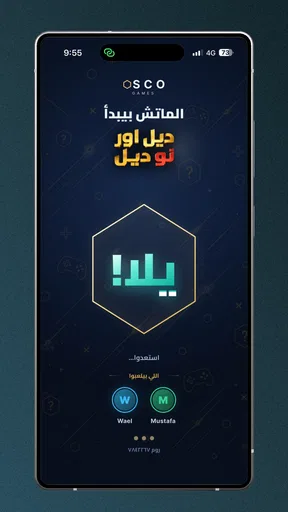
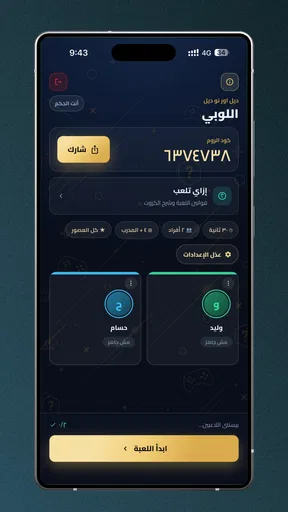
OSCO Games is more interesting as a social activity than as a solo trivia library. Its format is designed for two to eight players, and the option to use one phone or separate phones gives a host two different ways to organize a session. One shared device can make the group feel like it is gathered around the same challenge; separate devices may suit friends who are sitting apart or prefer to interact with the game individually.
Worth Reading Before You Choose

Flipboard Shows What News Apps Must Do Beyond the Feed

Switching to Android Auto Means Rethinking Your Driving Routine

Google Calendar Makes a Crowded Week Easier to Manage

Ludo King Makes the Most of the Minutes Between Plans

Baby Panda World Brings Quick Play to Modern Phones, but Its Game Library Feels Busy

ESPN’s Live Game View Makes Following Close Games Easier
That flexibility is useful, but it also changes the setup. With a shared phone, decide who will hold it and make sure everyone can see and reach it before beginning. With individual phones, agree on how the group will coordinate and have players ready to join before the conversation moves on. These are small details, yet they can make the difference between a smooth start and several minutes of people sorting out their screens.
A good everyday use case is the stretch before a football match begins. Rather than having everyone scroll independently, one person can suggest a short trivia session and let the group choose whether to play around a single phone or bring their own devices into the activity. It also suits a family visit where some people follow football closely and others know only the basics: the host can keep the mood light and let the group decide how competitive to be.
The audience size gives the game room to work for a couple of friends as well as a larger gathering. I would not assume that the largest group is automatically the most enjoyable, though. More players can mean more voices, interruptions, and waiting for a turn, depending on how the session is run. For a lively room, set a simple order before starting; for a smaller group, the shared-phone format may feel more natural and keep the pace conversational.
Where it sits among trivia alternatives
Compared with general-knowledge quiz games, OSCO Games has a narrower subject that can be a strength. Football fans do not have to wait for a sports question to appear among unrelated topics. The tradeoff is obvious: someone who is not interested in football may have little reason to keep playing, even if they enjoy trivia in general. A broader quiz app is a better choice for mixed groups whose interests do not overlap around the sport.
It also occupies a different niche from a solo quiz app. If you want to test your own knowledge during a commute or work through questions at your own pace, a single-player experience is usually a more direct fit. OSCO Games makes its case through the presence of other people, so its value rises when you have a willing group and falls when you are playing alone. I would choose it for a shared occasion, not as my first pick for a private daily quiz routine.
Against a verbal football quiz made up by a friend, the app offers a ready-made way to bring a game to the gathering, while an improvised quiz can be tailored to a particular club, era, or level of expertise. If your group has very specific tastes, a friend acting as quizmaster may be more satisfying. If nobody wants to prepare questions, having a dedicated trivia game available is the easier starting point.
Tradeoffs to consider before inviting everyone
The one-phone option avoids asking every player to download and open the game, which is handy when a group is together in one room. Its cost is physical: people need to share a screen and pass or position the device so the group can take part. Before a session, check that the host’s phone is charged enough for the occasion and place it where players can comfortably see it. That is ordinary hosting, but it matters more when the whole group depends on a single screen.
Separate phones can remove the need to pass one device around, but they bring a different kind of friction: everyone must be ready on their own phone, and the group needs to coordinate around that arrangement. If even one person is reluctant to install a game or has an incompatible device, the shared-phone approach may be the simpler plan. I would decide the format first rather than asking the group to switch midway through a gathering.
There is another social tradeoff with football trivia: differences in knowledge can shape the mood. A keen supporter may dominate discussion, while a casual fan may feel left behind if the group treats every answer as a serious test. I’d frame it as a friendly challenge and let people contribute together rather than making the session a test of who knows the most. If your friends enjoy intense competition, that can be part of the appeal; if they dislike being put on the spot, a cooperative or non-trivia activity may be a better choice.
The game’s Everyone age rating makes it suitable to consider for a family setting, but the rating alone does not tell you whether the football content will interest every age or skill level. A parent hosting younger players can explain the format and keep the atmosphere relaxed. For a group of adults who want a detailed football-management simulation or a full match experience, this is not that kind of game: its focus is trivia and group participation.
Who is most likely to get good value
I’d recommend giving it a try if you regularly spend time with a few football fans and want a simple activity to fill a pause before a match, during a visit, or at a casual get-together. It is especially appealing when the group can agree on a shared phone, since that makes the game easy to introduce without turning the evening into a round of individual setup. The free download lowers the barrier to testing that idea.
It may also suit a host who wants a ready-made football theme without preparing questions in advance. My practical tip is to choose the player arrangement before the group starts: one device is likely the less fussy option for people sitting together, while separate phones make more sense when each player prefers to use their own screen. That small decision helps avoid interrupting the first few minutes to renegotiate the setup.
I would skip it if you mainly want a solo brain teaser, if your group is indifferent to football, or if you need a trivia game that covers a broad range of subjects. It is also not the obvious choice for a group that refuses to share a phone and does not want to use separate devices. In those situations, a general quiz, an offline verbal game, or another activity matched to the group’s interests will probably be more dependable.
My verdict on trying it
For a football-loving group, OSCO Games has a clear and useful purpose: it turns trivia into something friends or family can take on together, with a choice between one shared phone and individual phones. Its strongest value is not a promise of endless solo play; it is the chance to start a football conversation and give the group a common activity. The free entry makes that proposition easy to test without an upfront purchase.
My recommendation is to try it when you already have at least one other person ready to play and a convenient way to share the game. Keep expectations focused on football trivia and social play rather than a broad quiz collection or a full sports game. If that matches what your gathering needs, OSCO Games is an easy option to consider. If not, its football focus and group-first design are good reasons to choose something else instead.
A small hosting plan makes the first round easier
Before opening the game, I’d settle two practical questions with the group: who is playing, and whether the phone will be shared or everyone will use their own. This sounds basic, but it prevents the host from having to explain the format while people are already waiting. If someone arrives late, it is also easier to bring them into a plan the group has already agreed on than to pause and reorganize the session.
For a mixed-knowledge group, I’d invite people to think aloud rather than turn every question into a fast individual contest. That gives casual fans a way to participate through discussion, even when they do not know an answer immediately. It also helps keep the football focus welcoming instead of making the session feel like a private test for the most devoted supporter.
What to expect from the format
A natural question is whether this works as a quick activity or needs a dedicated evening. The group setup makes it easy to bring into a short gap, such as waiting for friends or filling the time before a match, but the length of a session will depend on how your group chooses to play. I would treat it as something to suggest when people are already together, rather than an activity that needs elaborate planning.
Another useful distinction is whether every player needs a phone. The game can be played around one device or with each player on their own phone, so the host can choose the arrangement that fits the room. If people are seated close together, one screen avoids asking everyone to install and prepare separately. If the group is spread out, individual phones may be more comfortable, provided everyone is willing and able to join that way.
There is no need to make the decision about competition more serious than the gathering calls for. I’d agree on a relaxed tone at the outset, especially when children, newer fans, or people who follow different teams are involved. That little bit of expectation-setting is more useful than trying to manufacture a rivalry; the shared football topic can carry the conversation without everyone needing to be equally knowledgeable.
When another kind of game is the better call
If your group wants varied subjects, a general trivia game will give you more room to move between interests. If the aim is football discussion tailored to a particular club or generation, a friend-written quiz may be more personal. And if people are not in the same place or do not want to coordinate around a shared session, a solo quiz can be easier to pick up and put down. The best alternative depends on what is causing friction: topic, company, or setup.
For a family gathering, the practical test is whether the football theme gives enough people a reason to join in. The Everyone rating is reassuring as an age classification, but it cannot make the subject equally engaging for every relative. I’d offer it as one activity rather than assume the whole room will want to play. That leaves room for interested fans to enjoy a round while others keep chatting or choose something else.
Overall, I see the strongest case for trying it when a group already shares an interest in football and wants a ready-made way to turn that interest into a small social activity. The free download removes the upfront purchase decision, while the choice of one or multiple phones gives the host some flexibility. If those conditions suit your gathering, it is worth a look; if they do not, a broader or more individually focused quiz is likely to serve you better.
Pros
- Simple controls make the games easy to pick up.
- Short play sessions suit quick breaks.
- A variety of game types offers options for different moods.
- Games can be played without advanced gaming skills.
- The lightweight style is suitable for casual play.
Cons
- Game selection may feel limited for frequent players.
- Some titles may include ads or in-app purchases.
- Visuals and sound may be basic compared with premium games.
- Gameplay depth may not satisfy players seeking long-term challenges.
- Performance and features can vary between OSCO Games titles.
FAQs for OSCO Games
What is OSCO Games?
OSCO Games is a mobile gaming app or platform whose exact offerings may vary by version and region. Before downloading, check its store listing for the publisher, supported devices, screenshots, and a current description of the games included. These details help confirm that you have found the intended app and give you a clearer idea of whether its content suits your interests.
Is OSCO Games free to download and play?
The app may be available to download without an upfront charge, but that does not necessarily mean every feature or game is free. Check the official store listing for in-app purchases, subscriptions, and advertising disclosures before installing. If payment options appear inside the app, review their prices and terms carefully, especially if children or other family members will be using the device.
Which devices are compatible with OSCO Games?
Compatibility depends on the version of OSCO Games and the requirements set by its publisher. On Android or iOS, open the app’s official store page and compare the listed operating-system requirements with your device’s software version. Also check the available storage space and any stated device limitations; an app can be visible in a store yet unavailable for installation on some models or regions.
Does OSCO Games need an internet connection?
Whether OSCO Games works offline can depend on the particular games and features available in your version. Some mobile games require a connection for loading, updates, accounts, or online play, while other content may work without one after installation. Review the app description and test its behavior before relying on it during travel or in places with limited connectivity.
Is OSCO Games safe for children and what permissions does it request?
Safety and suitability depend on the app’s content, advertising, purchase options, and privacy practices, so review its age rating and disclosures before letting a child use it. During installation or first launch, pay attention to requested permissions and allow only those that make sense for the features you use. For extra protection, consider enabling parental controls and purchase authentication on the device.


